Introduction
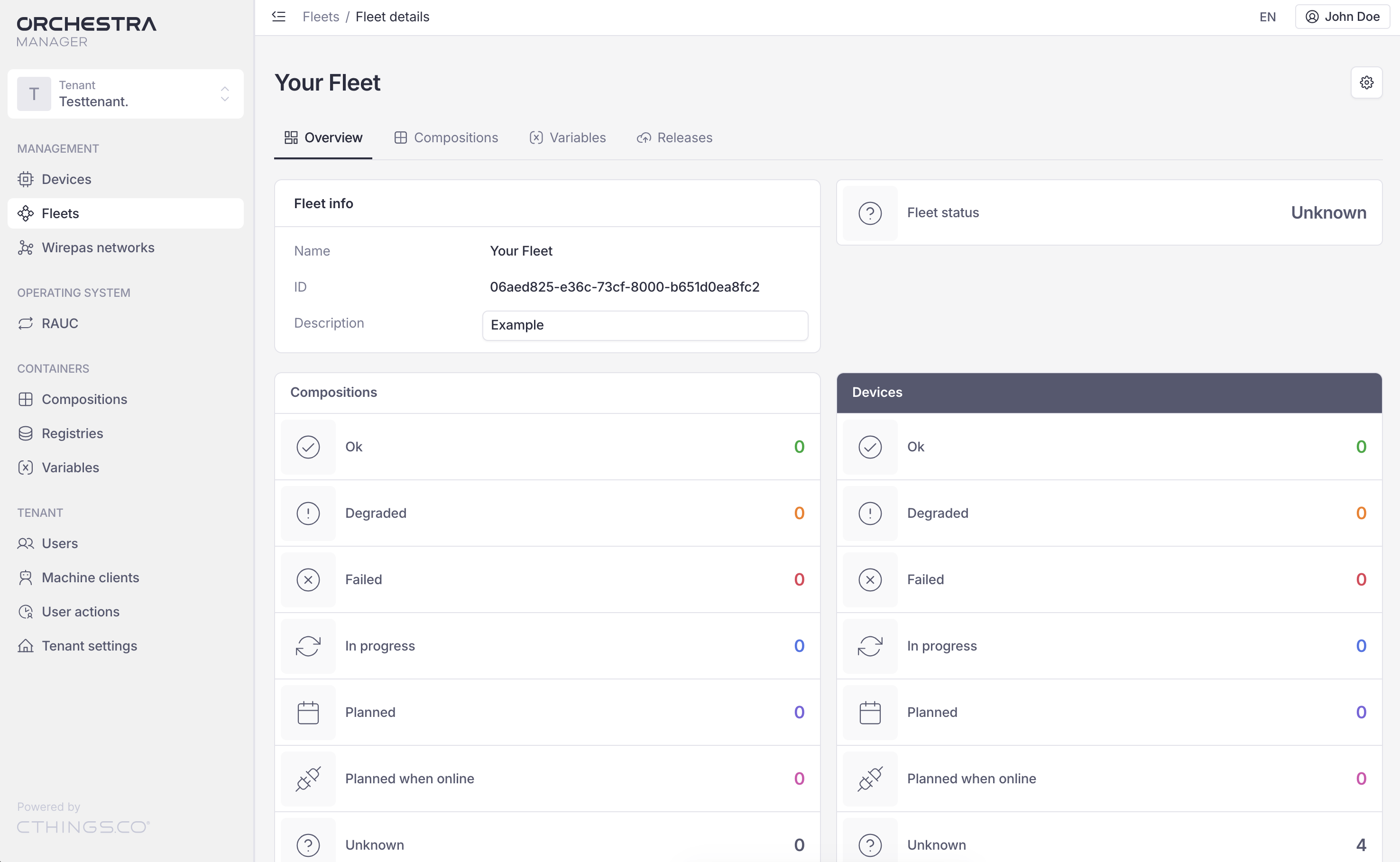
This chapter describes what a fleet is, where to find fleets in Orchestra Manager and how to create your first fleet.
What is a fleet
Fleets are the way to group and manage your devices within Orchestra Manager. Fleets group devices into a single unit. This allows you to simultaneously manage all of the devices within this group. For example, instead of installing and updating applications on each device separately, you do it once for the whole group (fleet).
Tip
It is recommended to create a fleet of similar devices that share an application or run common functions.
Where to find fleets
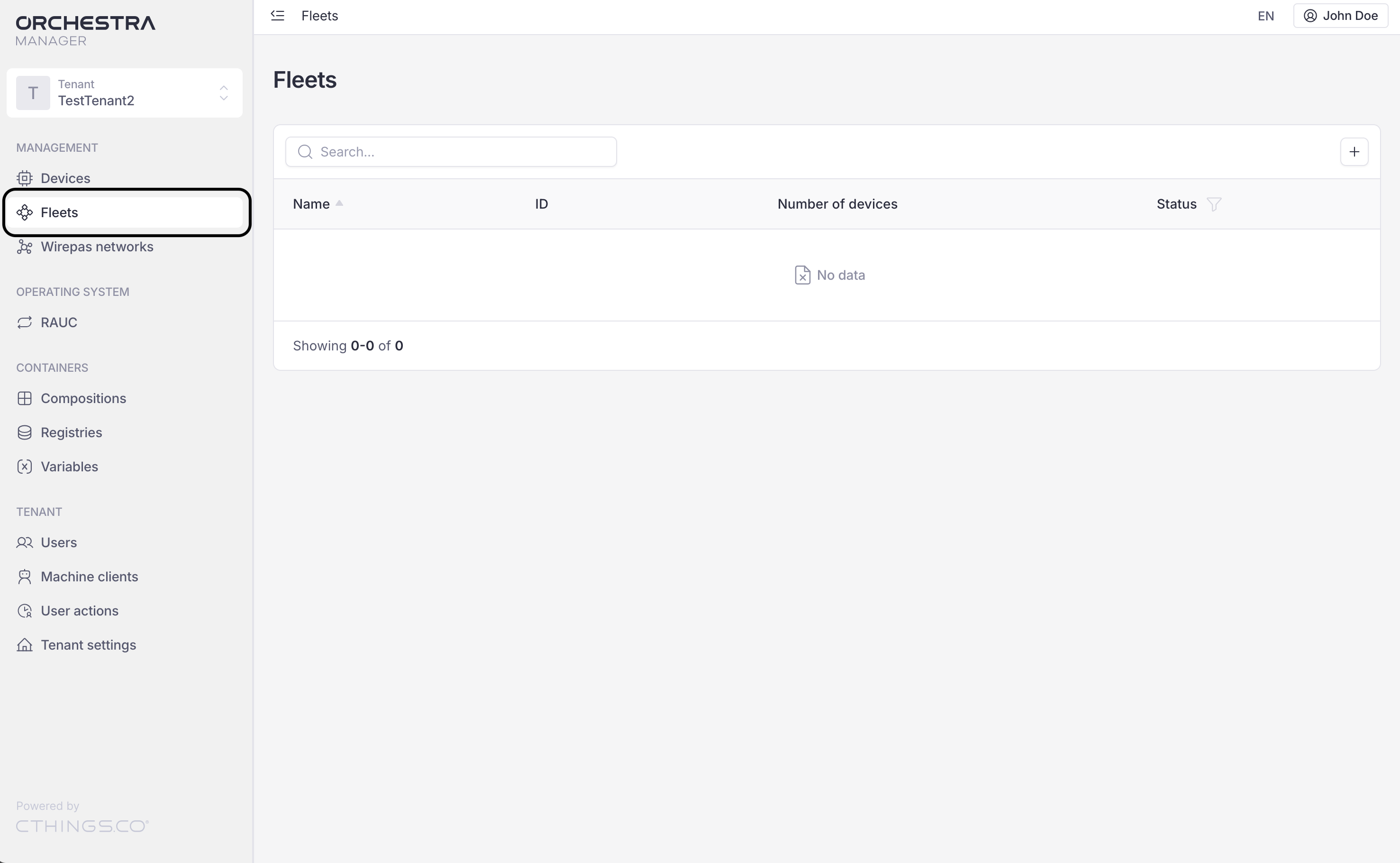
You can find the Fleets section in the sidebar of Orchestra Manager as seen in the screenshot below.
Creating your first fleet
Go to the sidebar and choose the Fleets section. After you open the Fleets section, an empty list of fleets will appear.
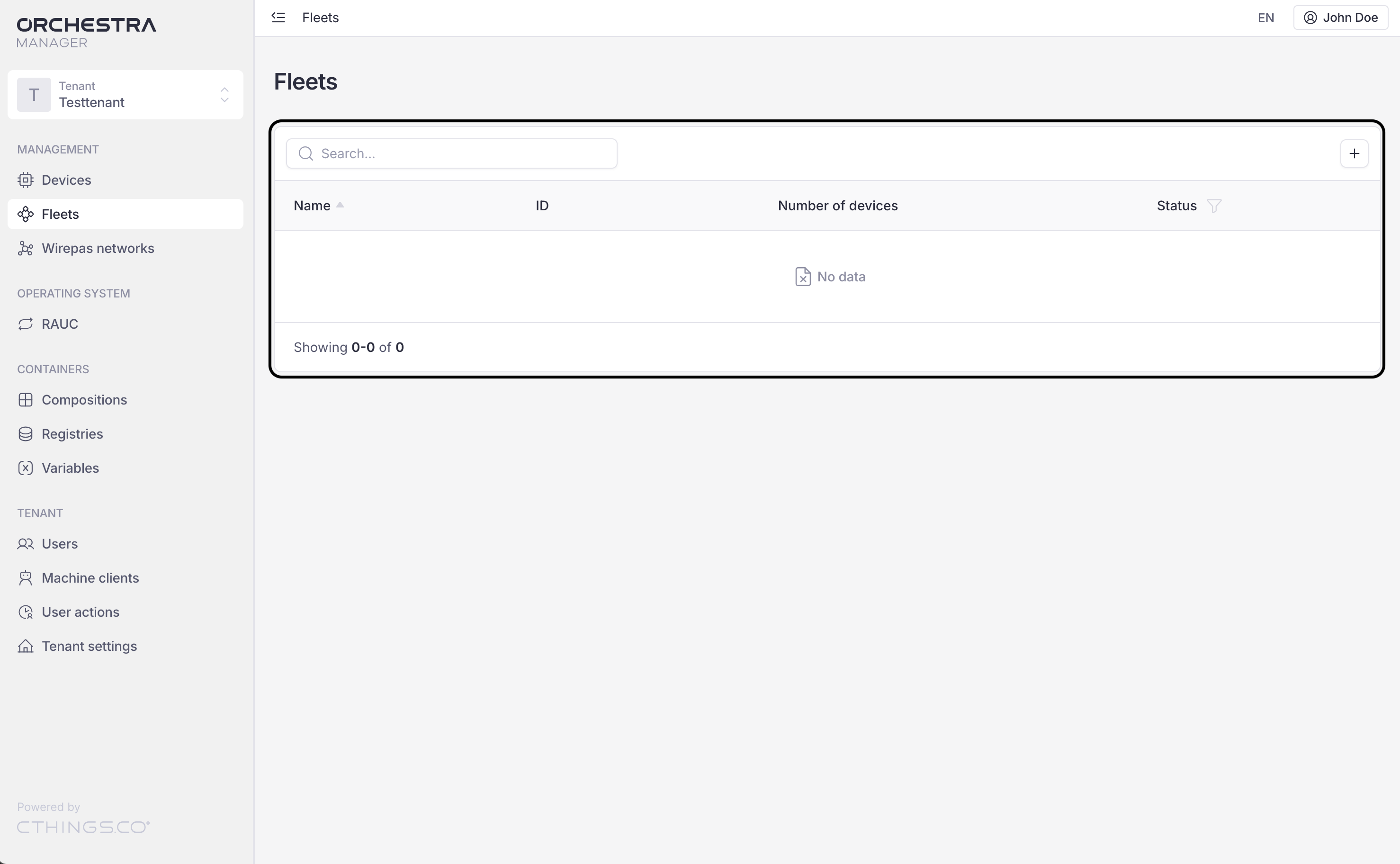
Press the "+" button in the top right corner to create a new fleet. A pop-up will appear:
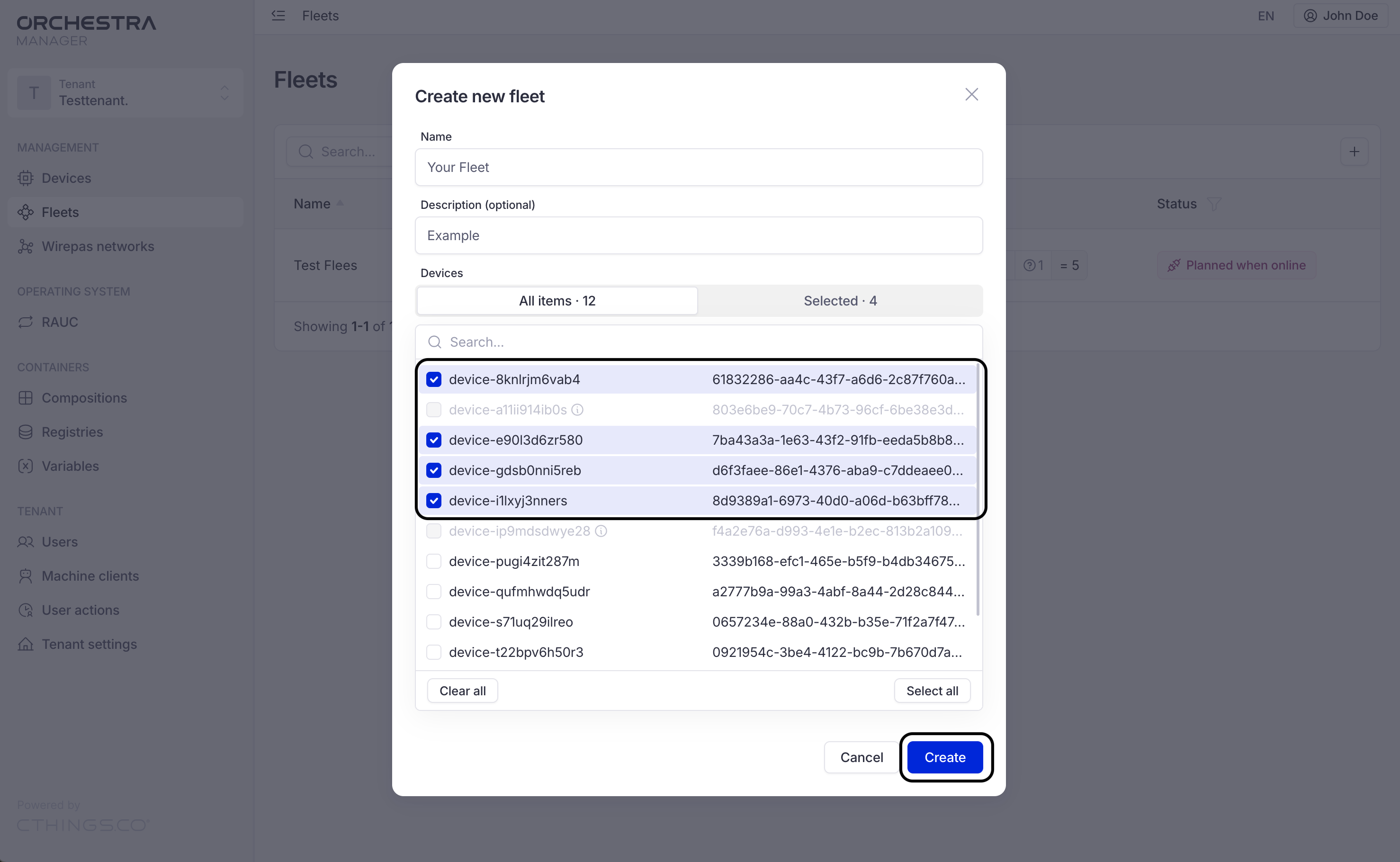
Provide the name of the fleet you are going to create, then provide a description, and finally choose the devices that are going to run the same application. The description field is optional, but it is recommended to provide each fleet with a clear description. After that, press the Create button, and your first fleet will be created.